Elgato Stream Deck - button action examples
For a software developer
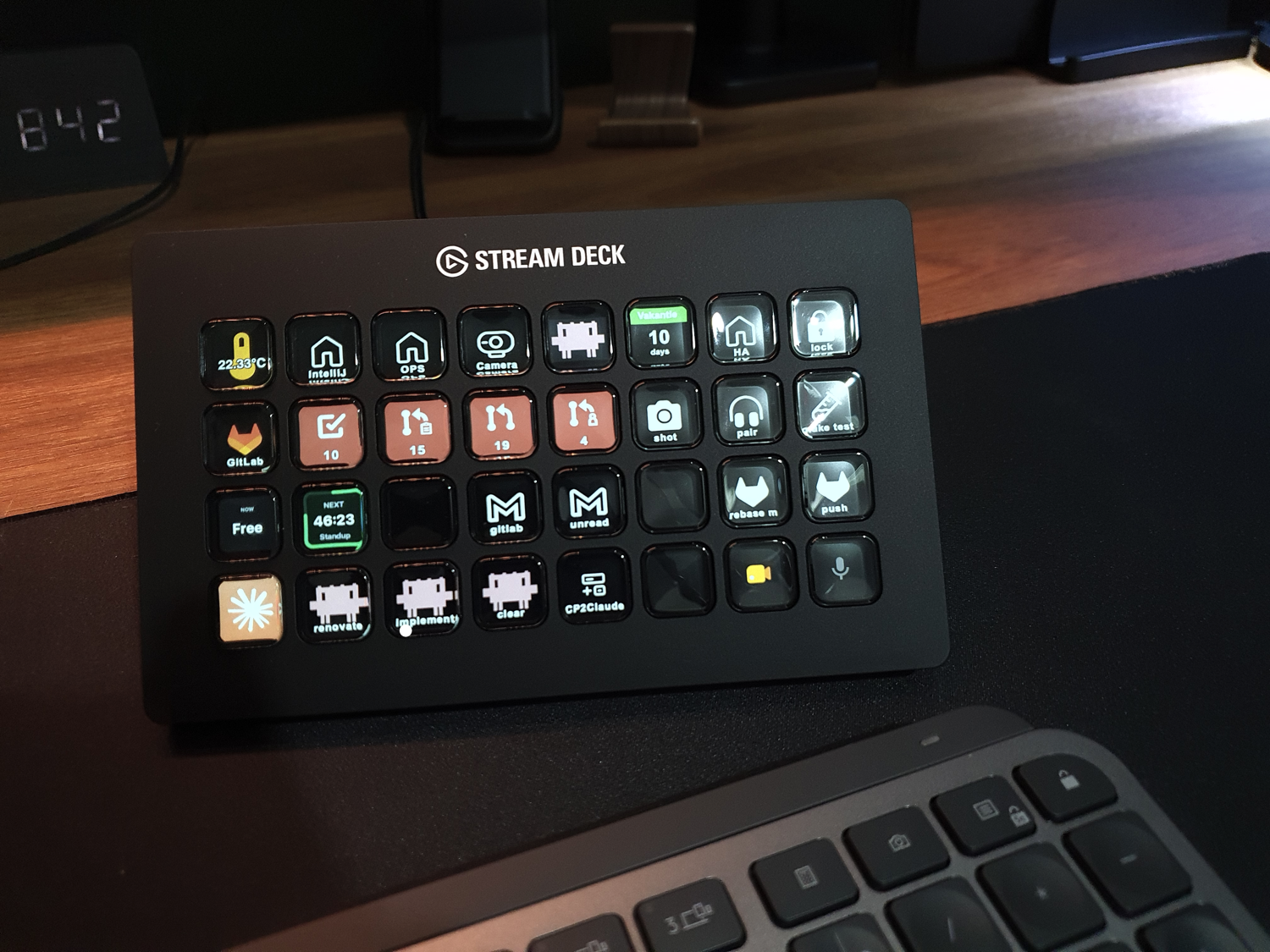
On this page I share and explain the button actions I use on my Stream Deck,
and how you can use them on your own Stream Deck to trigger tasks in your daily work as a developer as well.
Personally I use it for my OS actions, mail, Spotify, AI agents, video calls, IDE, calendar, GitHub, GitLab, Home Assistant and more…
I still have some actions on my wishlist myself. Maybe you can help me with them? Or do you know any other cool and useful actions for macOS software developers yourself? I’m always looking for new ones. Let me know via a comment on one of my social posts.
How to use this page
- The button actions are grouped per application.
- Most button actions can be downloaded directly from here and imported into your own Stream Deck.
- Or use them as examples for all kinds of similar button actions.
Not every button works the same way:
- Some work out of the box with the predefined built-in actions in the Stream Deck app.
- Some need a plugin from the Elgato Marketplace.
- Some need a plugin that is installed manually.
- Some need an extra program or script to work correctly.
I describe for each one whether extra steps are needed first.
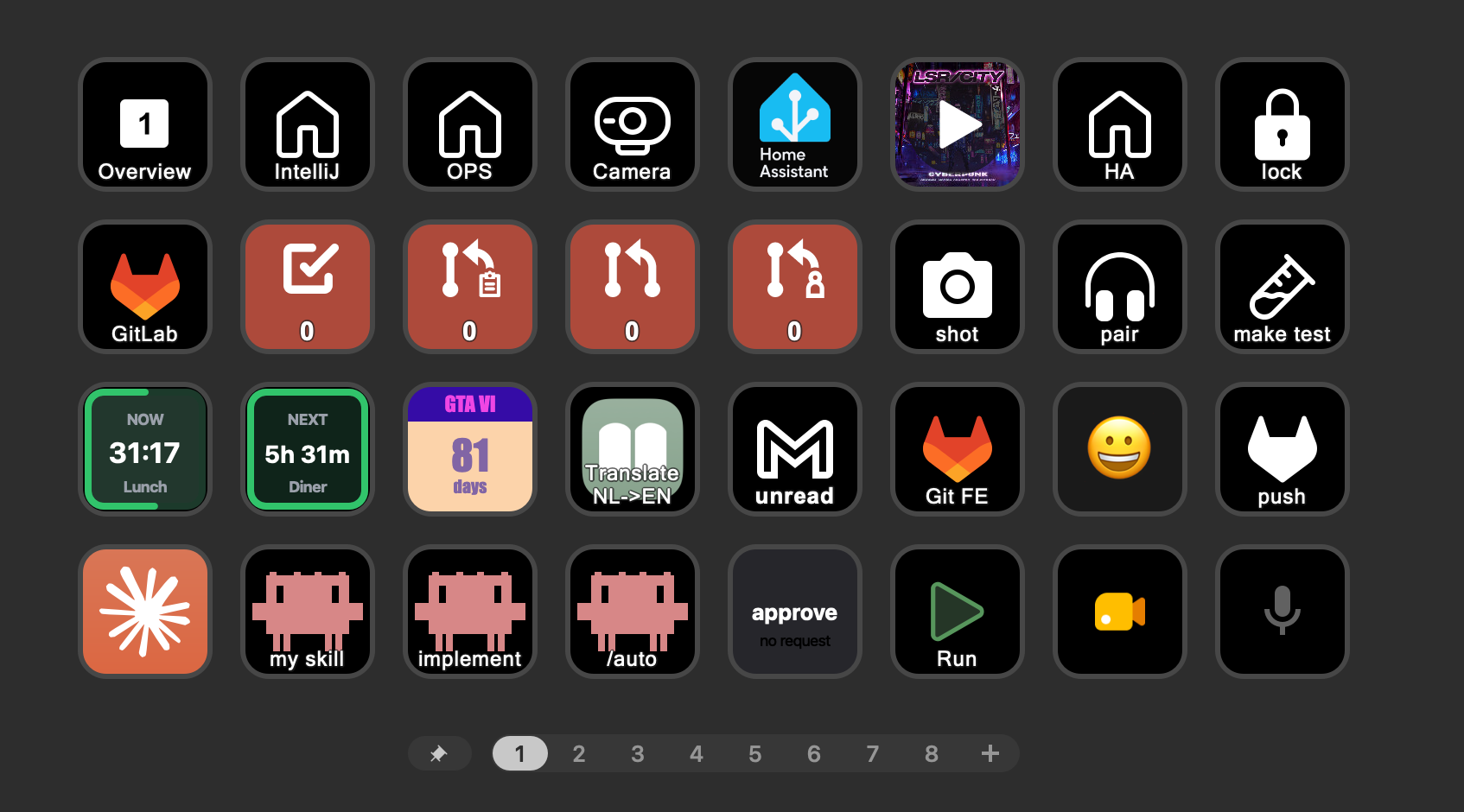 one of my pages with all kinds of actions and presented data on it
NOTE: All actions on this page are specific to macOS. The same solutions are probably also available on Windows, but sometimes you need different plugins for it.
NOTE: This page is constantly updated with new plugins and integrations.
I’ve added placeholders for features I already have running and will describe in the coming months. Bookmark this page and come back after a while for extra possibilities.
Example buttons
I have buttons on my Stream Deck for the below listed applications. Click on them to see the corresponding actions, you can download them directly onto your own Stream Deck. Or you can use them as examples and change them to fit the way you work.

Claude ai agent
With the Stream Deck + Claude you can for example start Claude, switch models, paste predefined prompts, and run different skills all with a single click.
Built-in Stream Deck action, no plugin required
-
Start ClaudeSystem: Text

- Title
- claude
- Text
- claude
-
Switch modelSystem: Text
Use the model ID to switch to another model. Like claude-fable-5-1, claude-opus-5-5, claude-sonnet-5-5 or claude-haiku-5-5

- Title
- Sonnet
- Text
- /model claude-sonnet-5-5
-
Paste any promptSystem: Text

- Title
- Any prompt
- Text
- Any prompt
-
Run a skillSystem: Text

- Title
- /my-skill
- Text
- /my-skill
-
Auto modeSystem: Text

- Title
- /auto
- Text
- /auto
-
New sessionSystem: Text
- Title
- /clear
- Text
- /clear
The above actions are just examples of how to configure them. Check here for all possible Claude Code commands.
Stream Deck Local Plugin:
 Jetstream
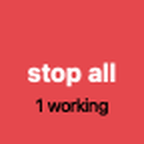
Shows the live state of every Claude Code session/project on your keys: which project needs your input, which one is still working and which one is done, your 5h/7d usage, and keys to approve or deny an open question or stop all sessions at once.
npm i -g @pimmesz/jetstream and then jetstream install, which hands the packed plugin to your Stream Deck app.
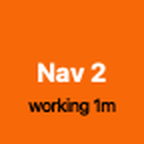
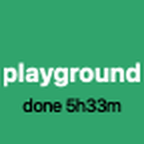
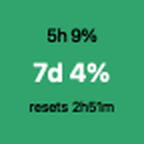
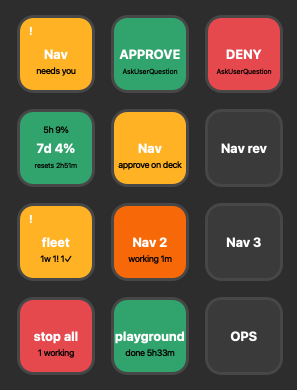 Jetstream keys showing the state of every Claude Code session. It also shows your usage, it show if user input is required or of it's finished.
-
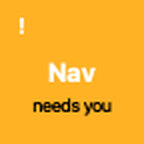
User input needed, visualization per project
-
Still running, visualization per project
-
Session done, with the time since it finished
-
Idle, project without an active session
-
Approve the open question (AskUserQuestion)

-
Deny the open question (AskUserQuestion)

-
Usage gauge - 5h and 7d used, plus time until the limit resets
-
Stop all running sessions at once
Features I'm still looking for:
- Show as running when there is still a background task in a shell is running.

Browser
Opening favorite links in a browser can easily be managed with bookmarks, so you don't need a Stream Deck for it. The extra power comes when you want to combine it with selected text or use clipboard data in your search query.
Built-in Stream Deck action, no plugin required
-
Open the Google Translate webpage with the selected text (via Apple Shortcut)System: Open Application

- Application
- Translate NL->EN
Requires/Remarks: click here to expand and see more details about these buttons.
- Translate NL->EN (Apple Shortcut): This Shortcut pastes the selected text into the Google Translate page.
Do you use your Stream Deck in combination with your browser?

Chat
You can create a Stream Deck profile linked to your chat apps, containing your frequently used text and icons for apps like WhatsApp, Instagram, Slack, etc.
Built-in Stream Deck action, no plugin required
-
Have a nice daySystem: Text
- Title
- Have a nice day
- Text
- Have a nice day
-
Thank youSystem: Text
- Title
- Thank you
- Text
- Thank you
-
LOL emojiSystem: Text

- Title
- 😂
- Text
- 😂
-
+1System: Text

- Title
- +1
- Text
- +1
Download these and create your own profile/page with your own often used text and emojis!
Stream Deck Marketplace Plugin:
 Emoji Keys
Choose from over 5000 emojis to use as a shortcut key, so you can paste one with a single button press.
-
Select an emoji from a big list and use that for a button.Emoji Keys: Emoji
- Text
- 😂
-
Select an emoji from a big list and use that for a button.Emoji Keys: Emoji
- Text
- 👍
Built-in Stream Deck action, no plugin required
Features I'm still looking for:
- Button press to open an emoji keyboard where you can directly type to search for the icon you're looking for
- Slack: set away state

Google Mail
The Stream Deck can be used with navigate within Google Mail.
With Gmail's keyboard shortcuts enabled, with a keyboard shortcut you can search, compose a new email, go to your inbox or drafts, or open a label.
Built-in Stream Deck action, no plugin required
-
Filter by unread emailElgato: Multi Action

- Step 1
- ⇧ G
- Step 2
- ⇧ L
- Step 3
- unread
- Step 4
- Enter
-
Filter by spam emailElgato: Multi Action

- Step 1
- ⇧ G
- Step 2
- ⇧ L
- Step 3
- Spam
- Step 4
- Enter
-
Search mailSystem: Hotkey

- Title
- search
- Hotkey
- /
-
Compose a new emailSystem: Hotkey
- Title
- compose
- Hotkey
- ⇧ C
-
Go to InboxElgato: Multi Action

- Step 1
- ⇧ G
- Step 2
- I
-
Go to DraftsElgato: Multi Action

- Step 1
- ⇧ G
- Step 2
- D
-
Go to Sent mailsElgato: Multi Action

- Step 1
- ⇧ G
- Step 2
- T
-
Open any label ('gitlab' as example)Elgato: Multi Action

- Step 1
- ⇧ G
- Step 2
- ⇧ L
- Step 3
- gitlab
- Step 4
- Enter
Features I'm still looking for:
- Show the number of new inbox emails
- Show the number of emails for a specific label
First you need the keyboard shortcuts to be enabled, this is not the default. Thhen check this big list of Gmail keyboard shortcuts you can map to your Stream Deck keys. You can use one of the above as example.

Google Meet
Google Meet videocall actions controled via a Stream Deck.
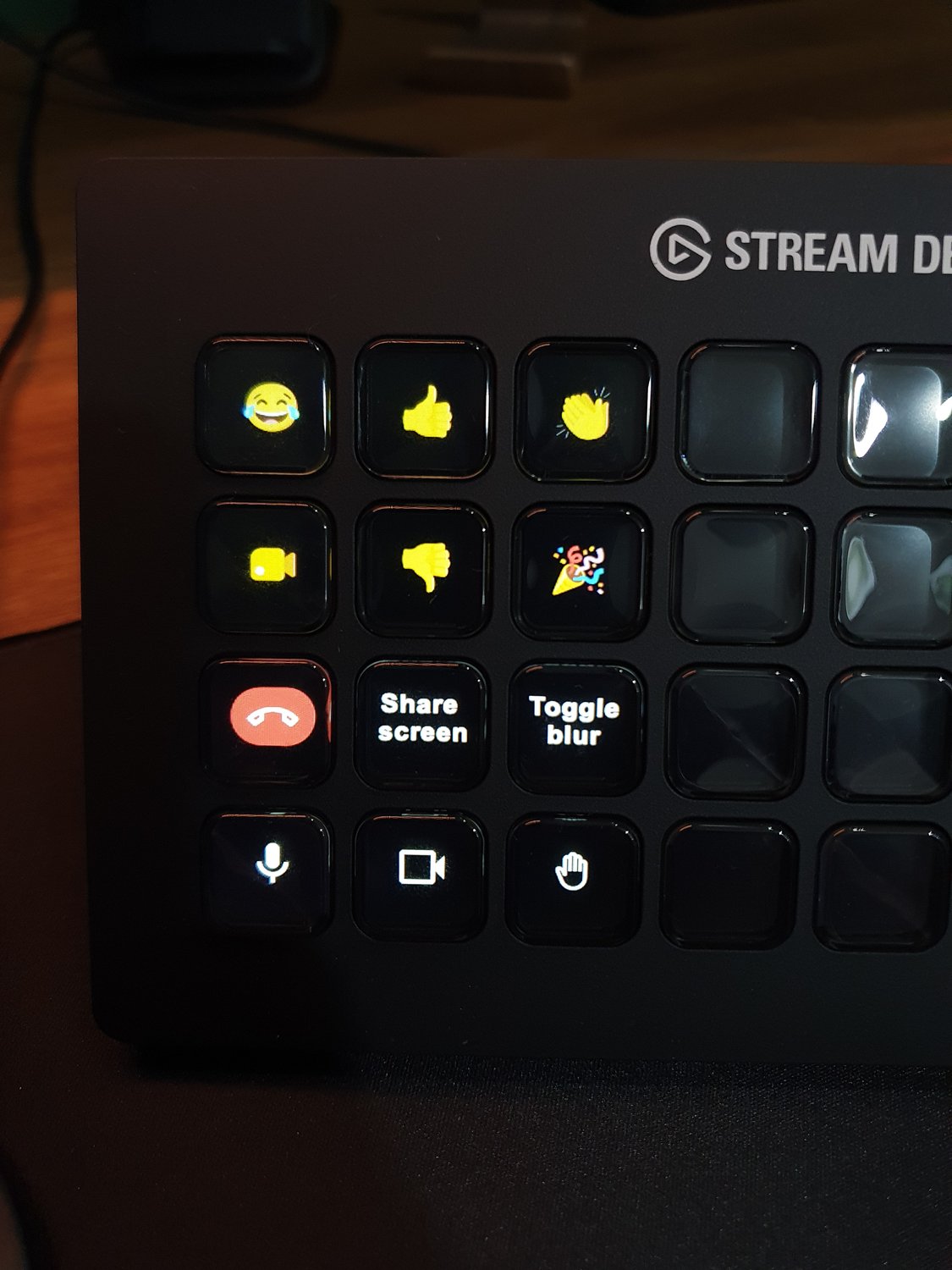 Google Meet buttons on my Stream Deck XL: start/end meeting, camera control, microphone (un)mute, raise hand, share screen, toggle blur and reactions.
Stream Deck Marketplace Plugin:
 Meeting Controls for Stream Deck
Controls a running video meeting with your Stream Deck keys: (un)mute, raise your hand and hang up.
-
Microphone (un)muteKolaborate: Meeting Controls for Stream Deck

- Action
- Microphone
-
Camera (in)activeKolaborate: Meeting Controls for Stream Deck

- Action
- Camera
-
Hang upKolaborate: Meeting Controls for Stream Deck

- Action
- Leave
-
Raise handKolaborate: Meeting Controls for Stream Deck

- Action
- Hand
-
Reaction / Emoji (thumbs up)Kolaborate: Meeting Controls for Stream Deck

- Action
- Reaction
- reaction
- thumbsup
Requires/Remarks: click here to expand and see more details about these buttons.
-
Emoji reactions
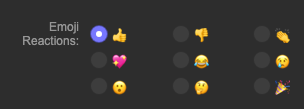
(Meeting Controls plugin): In the settings of this key you choose which emoji reaction it sends, like thumbs up, thumbs down, laughing, party popper, etc. Add a key per reaction.
Built-in Stream Deck action, no plugin required
Custom actions for Google Meet.
-
Open Google Meet websiteSystem: Website

- Action
- Website
- path
- https://meet.google.com/
-
Open Share screen windowSystem: Hotkey
- Title
- Share screen
- Hotkey
- ⌃ ⌘ T
-
Toggle blur (via TamperMonkey)System: Hotkey
- Title
- Toggle blur
- Hotkey
- ⌃ ⌘ B
Requires/Remarks: click here to expand and see more details about these buttons.
- Google Meet blur background hotkey (Tampermonkey userscript): Google Meet has no keyboard shortcut for blurring your background, so this key does nothing by default. As a workaround, install the browser extension Tampermonkey and load this script. It only runs on meet.google.com and adds the shortcut ⌃ ⌘ B (Ctrl + Alt + B on Windows and Linux), which clicks the blur buttons in Google Meet for you.
-
Open chat panelSystem: Hotkey
- Title
- Toggle chat
- Hotkey
- ⌃ ⌘ C
Features I'm still looking for:
- Leave call + press "Only for me"
- confetti
Calendar
A Stream Deck key can work as a small calendar display, so you always know when your next meeting starts. See Google Meet for the controls of the meeting itself.
Stream Deck Marketplace Plugin:
 Next Meeting Countdown
Counts down the minutes to your next calendar meeting on a key, or shows the minutes left in the current one. Pressing the key opens the meeting link directly.
-
Time left in current meetingNext Meeting Countdown: Current Meeting
The color changes to amber and red closer to the end

-
Time to next meetingNext Meeting Countdown: Next Meeting
The color changes to amber and red closer to the start

Requires/Remarks: click here to expand and see more details about these buttons.
-
Grant calendar access
(macOS): Allow Stream Deck access to your calendars in System Settings > Privacy & Security > Calendars

-
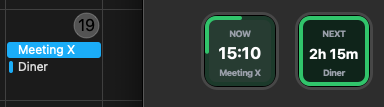
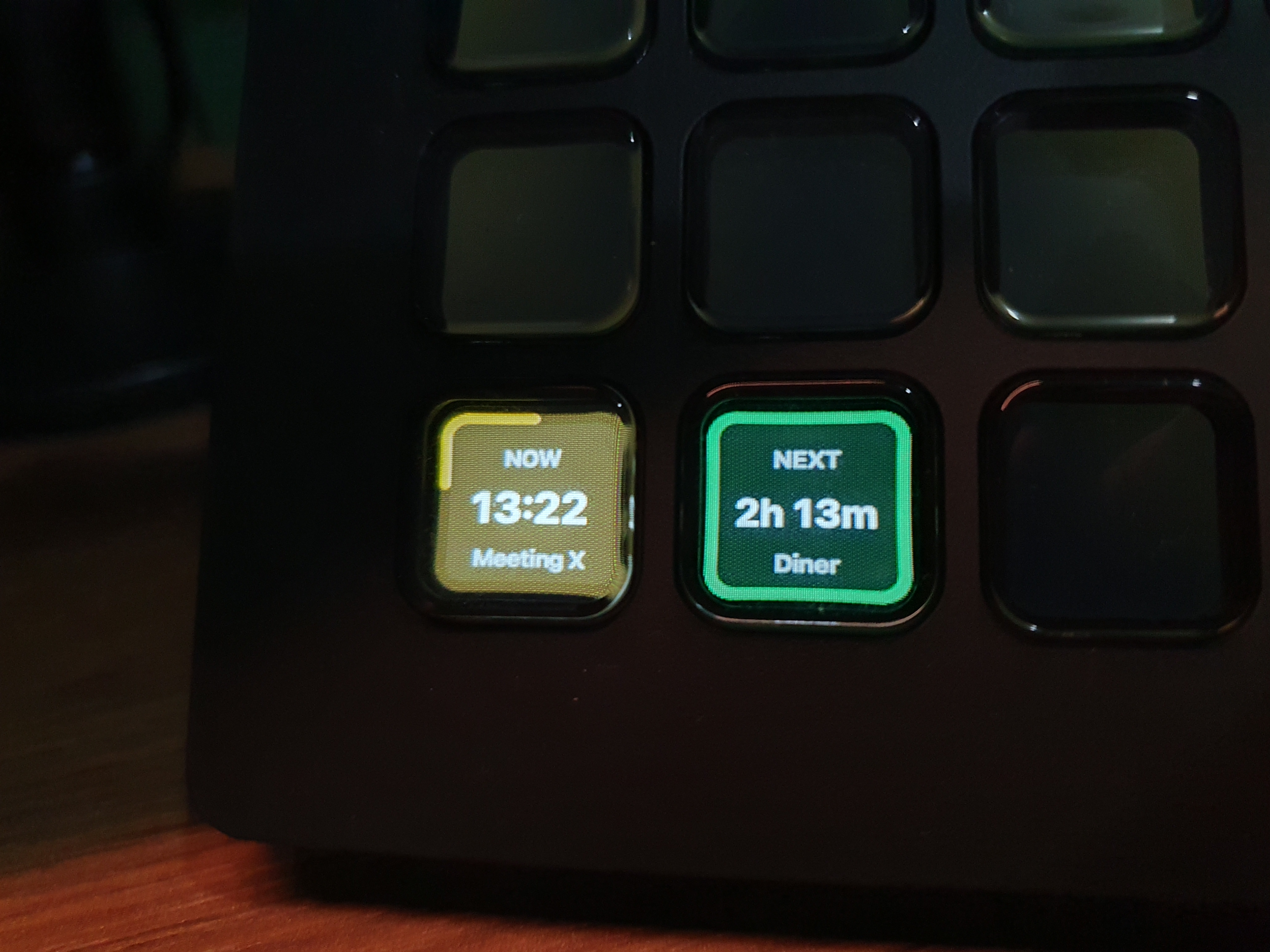
Both buttons together
: "Now" and "Next" side by side in the Stream Deck app matching the macOS calendar events.
-
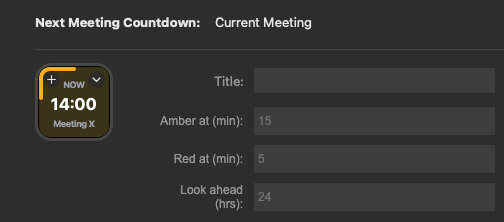
Button settings
-
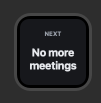
No upcoming meeting
: How the button looks when there is no next meeting.
-
On the Stream Deck
-
Grant calendar access
(macOS): Allow Stream Deck access to your calendars in System Settings > Privacy & Security > Calendars
Features I'm still looking for:
- Time since last meeting, so you can see how much time has passed since it ended

GitHub
Stream Deck + GitHub open your open-source repositories sections on GitHub with a single button click.
Built-in Stream Deck action, no plugin required



Which pages on GitHub do you often use yourself?

GitLab
Use the Stream Deck to quickly navigate to different sections of your GitLab projects.
Stream Deck Marketplace Plugin:
 GitLab Dashboard
Shows live GitLab counters on your keys: the number of open merge requests, your own merge requests and open TODOs.
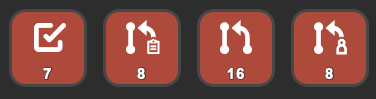 See direct on the buttons the number of actions: Open issues, (own) merge requests.
-
Pending Todos CountGitLab Dashboard: Pending Todos Count

- Action
- GitLab Dashboard
-
Merge Request Review Requested CountGitLab Dashboard: Merge Request Review Requested Count

- Action
- GitLab Dashboard
-
Combined Merge Requests CountGitLab Dashboard: Combined Merge Requests Count

- Action
- GitLab Dashboard
-
Assigned Merge Requests CountGitLab Dashboard: Assigned Merge Requests Count

- Action
- GitLab Dashboard
-
Assigned Issues CountGitLab Dashboard: Assigned Issues Count

- Action
- GitLab Dashboard
Built-in Stream Deck action, no plugin required

Features I'm still looking for:
- Count based on specific branch names (bugfix, renovate, major)
- Count based on specific project
- Failed pipelines count
Home Assistant
Control your home devices direct with your Stream Deck.
Stream Deck Marketplace Plugin:
 Home Assistant
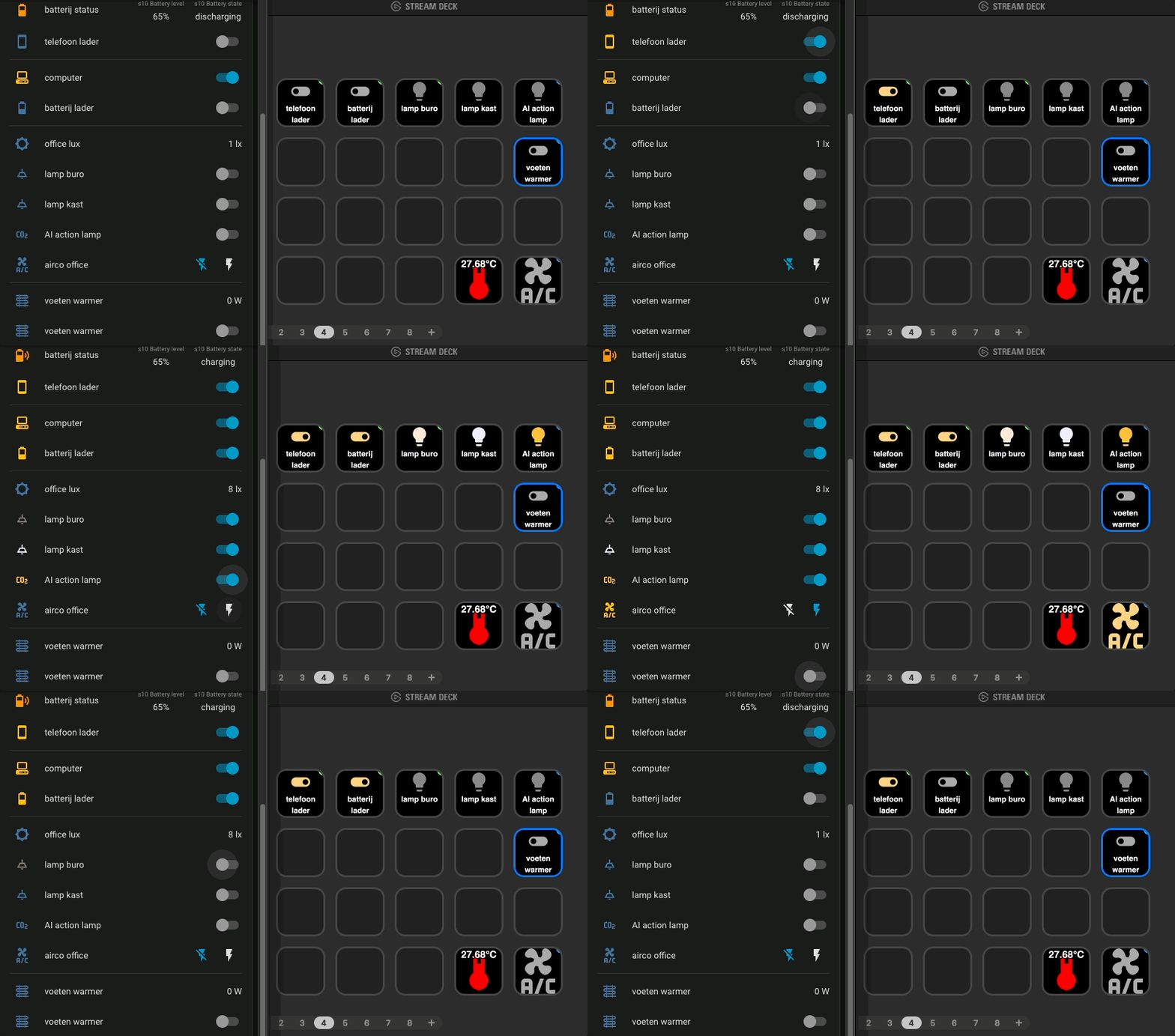
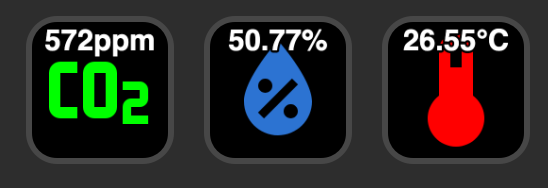
Controls and visualizes your Home Assistant entities, for example light switches, smart plugs or an air conditioner. It can also show live states like the room temperature or CO2 value.
-
Control lightsHome Assistant: Entity generic)

-
Control smart plugsHome Assistant: Entity generic)

-
Control the ACHome Assistant: Entity generic)

-
Show entity states like temperatureHome Assistant: Entity generic)
Built-in Stream Deck action, no plugin required
Custom actions for Home Assistant.
See more info on my dedicated page about this integration. Use the plugin to define these buttons.

IntelliJ Idea
Here are just a few example keyboard shortcuts for IntelliJ on macOS.
You can define any keyboard shortcut combination as a key on your Stream Deck, for your own preferred IDE (VS Code, Eclipse, NetBeans, VIM, etc.)
Built-in Stream Deck action, no plugin required
-
Open projectSystem: Open

- Title
- Open project
- path
- open -a "IntelliJ IDEA" /Users/me/my_project
-
Open terminalSystem: Hotkey

- Title
- terminal
- Hotkey
- F12
-
Clear consoleSystem: Hotkey

- Title
- clear console
- Hotkey
- ⌘ K
-
Next changeSystem: Hotkey

- Title
- next change
- Hotkey
- F7
-
Next fileSystem: Hotkey

- Title
- next file
- Hotkey
- ⌃ ⇧ →
-
Next diffSystem: Hotkey

- Title
- next code
- Hotkey
- ⌃ ⌥ ⇧ ↓
-
Optimize importsSystem: Hotkey

- Title
- optimize import
- Hotkey
- ⌥ ⌘ L
-
Previous differenceSystem: Hotkey

- Title
- prev code
- Hotkey
- ⌃ ⌥ ⇧ ↑
Stream Deck Marketplace Plugin:
 JetBrains IDE
Triggers shortcuts and actions inside JetBrains IDEs.
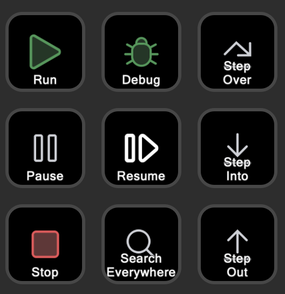 Some of the available buttons in this plugin.
Check here for all IntelliJ IDEA's keyboard shortcuts which you can map on your Stream Deck.

macOS
The button actions here trigger basic macOS features.
Built-in Stream Deck action, no plugin required
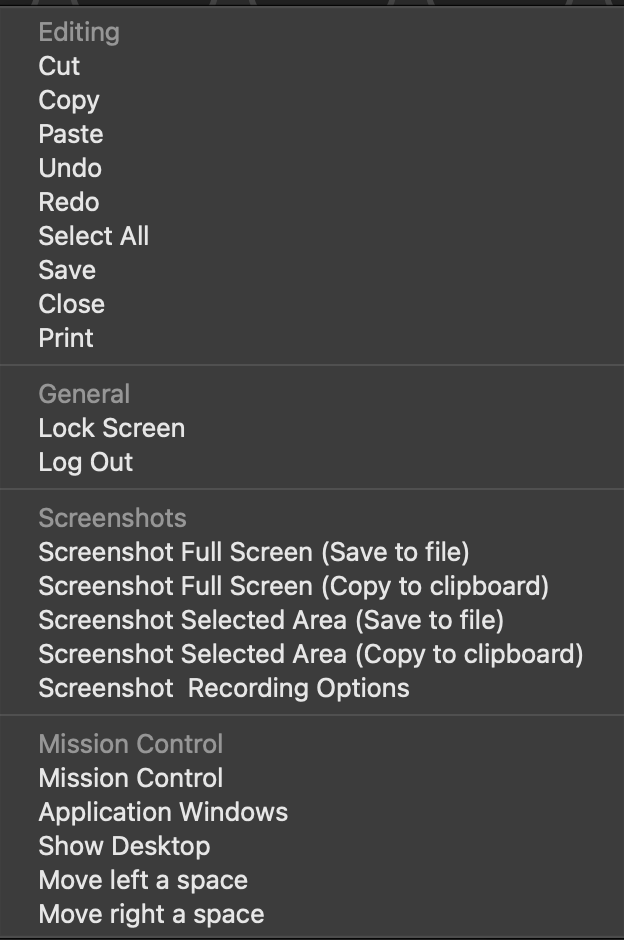 The default System > Hotkey key contains some default OS actions, like editing, lock screen and log out, screenshots and Mission Control actions. These actions trigger the keyboard key combination.
 This key can also be used to trigger any other key combination.
-
Lock the ScreenSystem: Hotkey

- Title
- lock
- Hotkey
- ⌃ ⌘ Q
-
Take a screenshot for a selected area and save as fileSystem: Hotkey

- Title
- screenshot
- Hotkey
- ⇧ ⌘ 4
-
Any keyboard shortcut, use HotkeySystem: Hotkey

- Title
- any key combination
- Hotkey
- Observing keystrokes...
Features I'm still looking for:
- RSS reader
Check here for all possible Mac keyboard shortcuts and add your own favorite macOS actions to your own Stream Deck.

Spotify
With Spotify and Stream Deck you get your music controls on physical keys, so you don't need to switch to the Spotify app.
Stream Deck Marketplace Plugin:
 Spotify
Adds play/stop, next and volume keys, a key that shows the cover of the song that is currently playing, a key to save that song to your Liked Songs list, and keys to start one of your playlists directly.
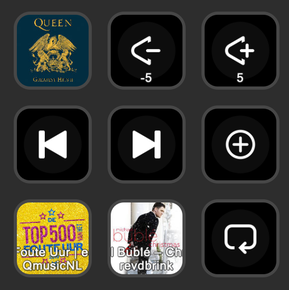 Physical media player controls on your Stream Deck.
Actions:
Show the song that is playing
Volume control +/-
Previous song
Next song
Save to your Liked Songs
Play a specific playlist
Toggle repeat mode
Use the plugin to select these buttons.

Days countdown
Stream Deck Local Plugin:
 Final Countdown
Counts down the days to a special date for you, such as a birthday, holiday, product launch or wedding.
io.github.vdbrink.finalcountdown.streamDeckPlugin in Finder to install the plugin in your Stream Deck app.
-
Days countdown to ... a birthday, holiday, product launch, marriage, etc.Final Countdown: Final Countdown
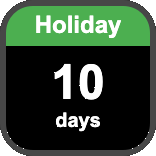
- Event Name
- Holiday
- Target Date
- 2026-08-31
-
GTA VI - launch day with all possible parametersFinal Countdown: Final Countdown

- Event Name
- GTA VI
- Target Date
- 2026-11-19
- Banner Background Color
- #5852A0
- Banner Text Color
- #EF46D1
- Banner Font
- Impact
- Banner Font Size
- 24
- Background Color
- #FCD3AA
- Text Color
- #8165A5
- Number Font
- Impact
- Number Font Size
- 48
- Label Font Size
- 20

My wishlist
I always look for more useful additions, especially these listed ones.
- Claude ai agent - Show as running when there is still a background task in a shell is running.
- Chat - Button press to open an emoji keyboard where you can directly type to search for the icon you're looking for
- Chat - Slack: set away state
- Google Mail - Show the number of new inbox emails
- Google Mail - Show the number of emails for a specific label
- Google Meet - Leave call + press "Only for me"
- Google Meet - confetti
- Calendar - Time since last meeting, so you can see how much time has passed since it ended
- GitLab - Count based on specific branch names (bugfix, renovate, major)
- GitLab - Count based on specific project
- GitLab - Failed pipelines count
- macOS - RSS reader
If you know how I can add these button actions to my Stream Deck, please let me know!
Related articles
Read more about the Stream Deck
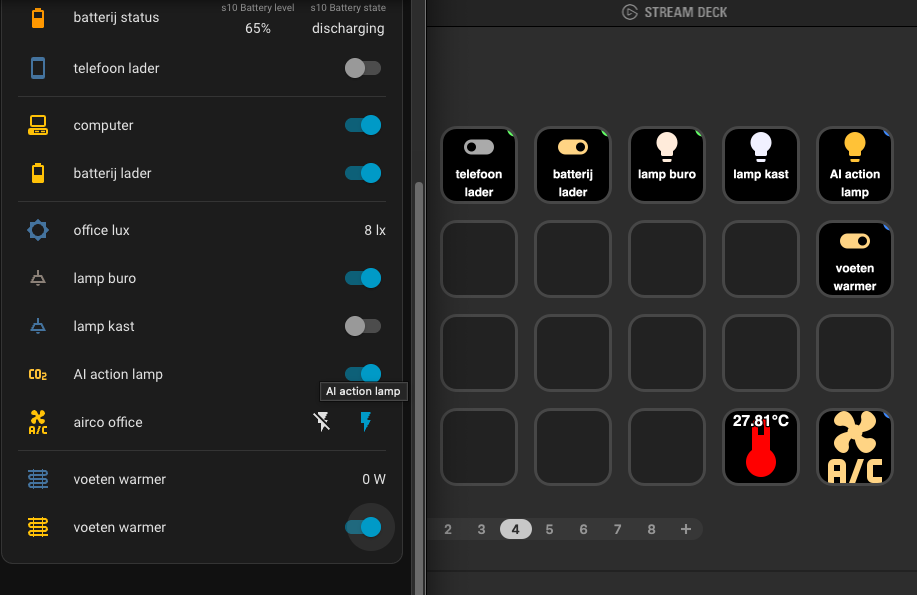
Control and visualize your Home Assistant entities with the Stream Deck.
^^ Top | Homepage | Best Buy Tips | Automation Ideas | Blog posts | Sitemap