Feed: Home Assistant Marketplace link in the sidebar
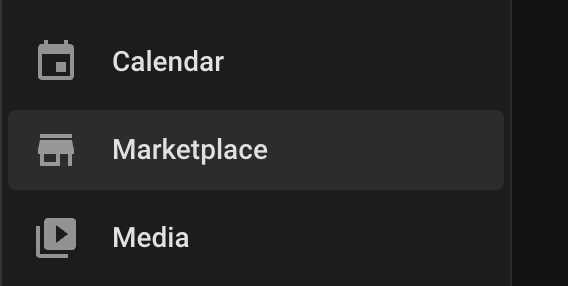 The Home Assistant Marketplace link back again in the side menu
With the Home Assistant Marketplace, the replacement of HACS, the link is now moved away from the sidebar to the Settings menu.
Maybe you still look in your sidebar to go to the HACS repositories?
To add it back in your sidebar add this to the root of the configuration.yaml file.
# Source code by vdbrink.github.io
# Extra config in the root of configuration.yaml
# configuration.yaml
panel_custom:
  - name: ha-marketplace
    sidebar_title: Marketplace
    sidebar_icon: mdi:store
    url_path: marketplace/discover
    js_url: /api/hassio/app/entrypoint.js
    embed_iframe: true
    require_admin: true
The result
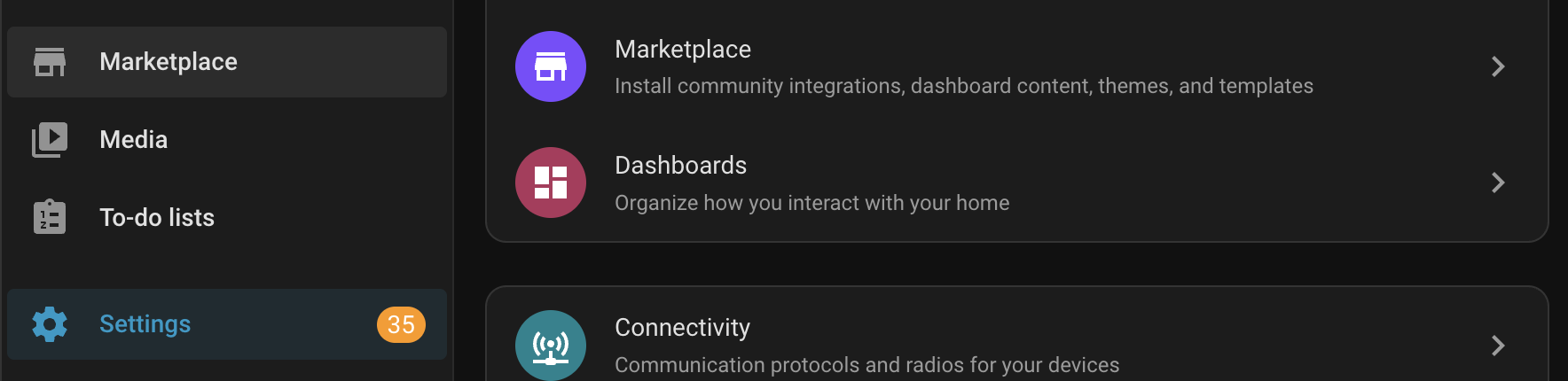 Now the links to the Marketplace are available via the Settings AND via the sidebar!
Marketplace links to your HA
With these links you can direct to different sections of the Marketplace in your own Home Assistant.


Remove HACS
Now you have the Marketplace, the old HACS can safely be removed.
Related articles
Other related articles with even more interesting content.

Useful and hidden tips in Home Assistant.

Many custom integration cards for your dashboard, with install buttons and YAML examples.
All Home Assistant pages with copy-paste code.
Sensors and other devices I use and advise for your smart home.
^^ Top | Homepage | Best Buy Tips | Automation Ideas | Blog posts | Sitemap