Home Assistant dashboard: Weather

Here you can find different examples of weather forecast dashboard cards with copy-paste YAML code.
Most of the cards are highly configurable; check the source site for all possible parameters that best fit your needs.
Table of Contents
- Weather Chart Card
- Animated Weather Card
- Clock Weather Card
- Windy.com compact forecast
- Hourly Weather Card
- Kleenex pollen radar Integration
- Lightning and thunderstorm
- Outside pressure, good vs bad
Weather Chart Card
Example 1
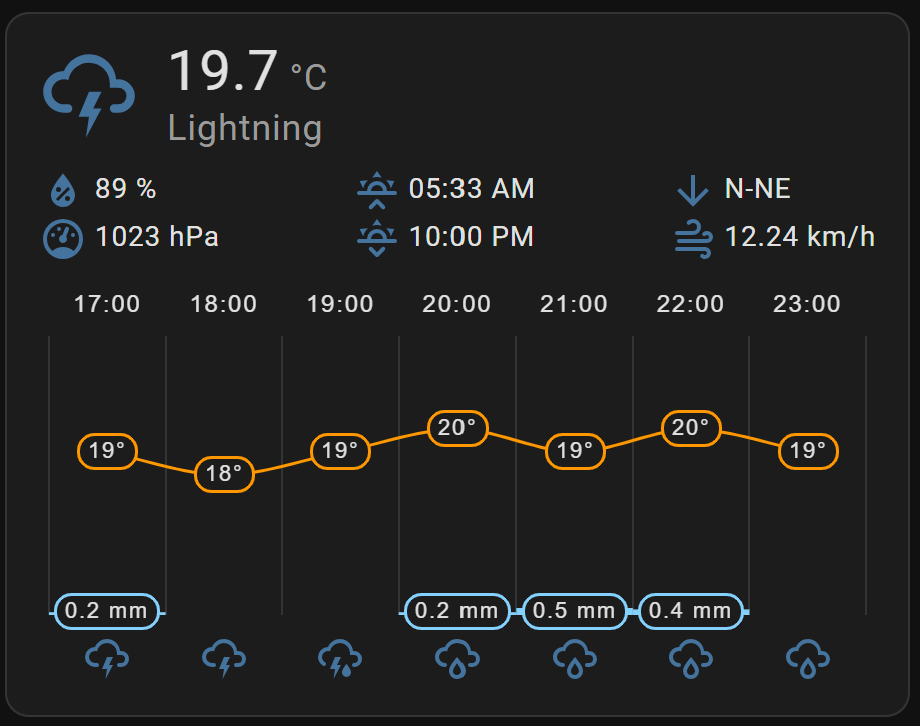
With current weather conditions and forecast for the upcoming hours.
Install this HACS Weather Chart Card integration via this button

With no extra parameters defined you get a full card with available data.
# Sourcecode by vdbrink.github.io
# Dashboard card code
type: custom:weather-chart-card
entity: weather.home
Example 2
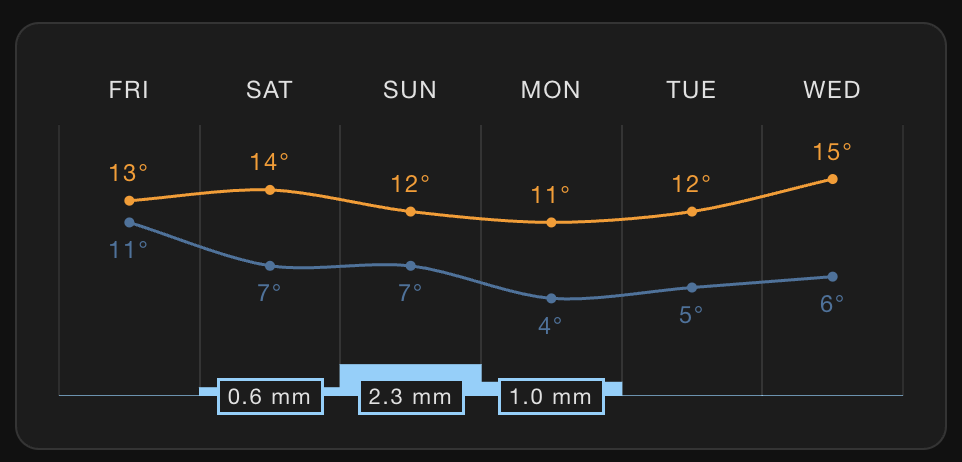
If you want to customize the presentation, it can get a completely different look, and you can activate or deactivate elements.
For example, only with forecast data and an alternative presentation style.
Install this HACS Weather Chart Card integration via this button
# Sourcecode by vdbrink.github.io
# Dashboard card code
type: custom:weather-chart-card
entity: weather.forecast_home
forecast:
  style: style2
  round_temp: true
  condition_icons: false
  show_wind_forecast: false
show_main: false
show_attributes: false
Animated Weather Card
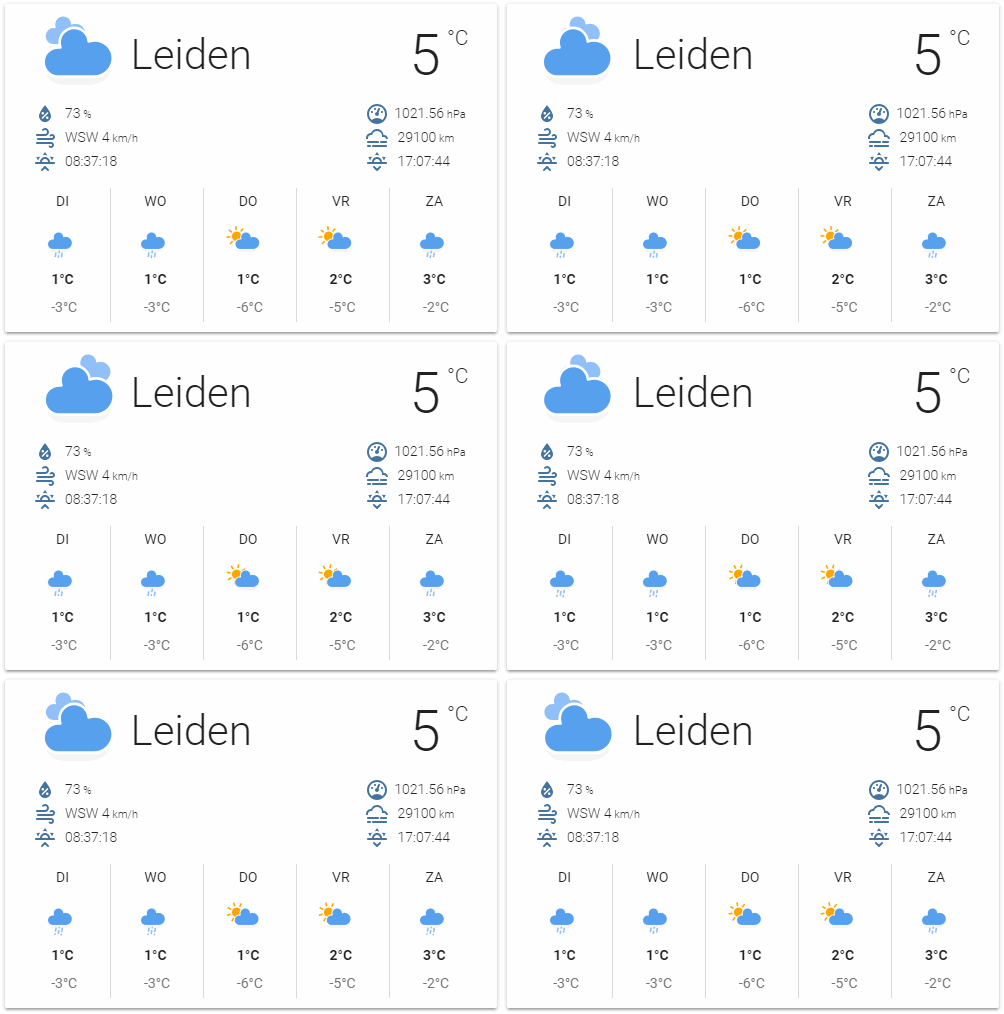
This Animated Weather Card comes with current weather conditions and the predictions for the coming days.
Install the HACS Animated Weather Card integration via this button.
# Sourcecode by vdbrink.github.io
# Dashboard card code
type: custom:weather-card
entity: weather.yourweatherentity
current: true
details: false
forecast: true
hourly_forecast: false
number_of_forecasts: 5
Clock Weather Card
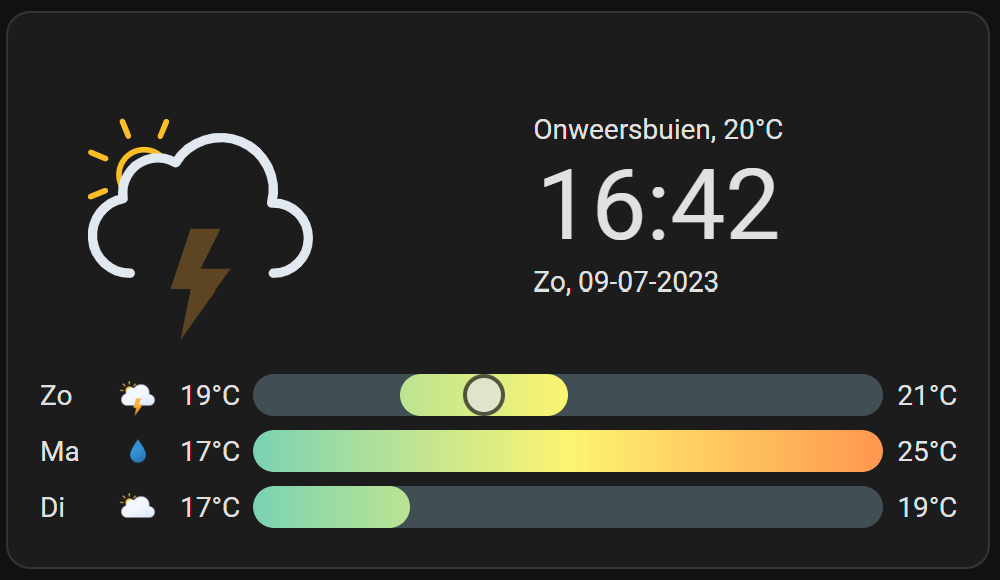
Animated weather icon, with current weather and a temperature forecast with min/max temperature bars for the upcoming days.
Install the HACS Clock Weather Card integration via this button
# Sourcecode by vdbrink.github.io
# Dashboard card code
type: custom:clock-weather-card
entity: weather.home
forecast_days: 3
locale: nl
time_format: 24
date_pattern: P
hide_today_section: false
hide_forecast_section: false
This card is highly customizable. To show more days, no clock and also the expected weather per hour.
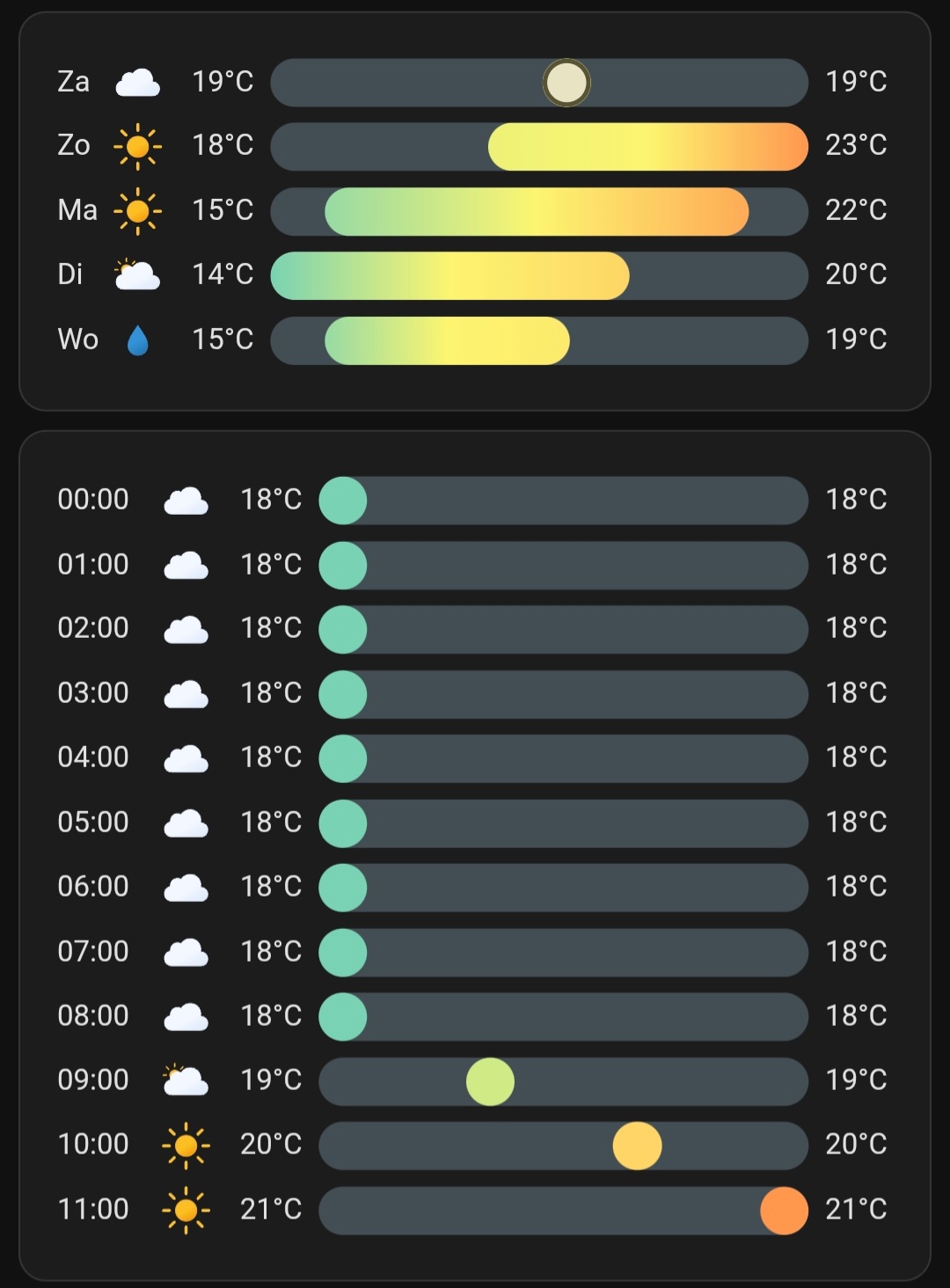
This is the corresponding code:
# Sourcecode by vdbrink.github.io
# Dashboard card code
type: custom:clock-weather-card
entity: weather.forecast_home
forecast_days: 5
locale: nl
time_format: 24
hide_clock: true
date_pattern: ""
hide_today_section: true
hide_forecast_section: false
hourly_forecast: true
forecast_rows: 12
Windy.com compact forecast
Show an iframe with a very compact presentation but with much information for the upcoming hours. Clouds/sun, position of the sun, temperature, rain, wind force, wind gust, wind direction.
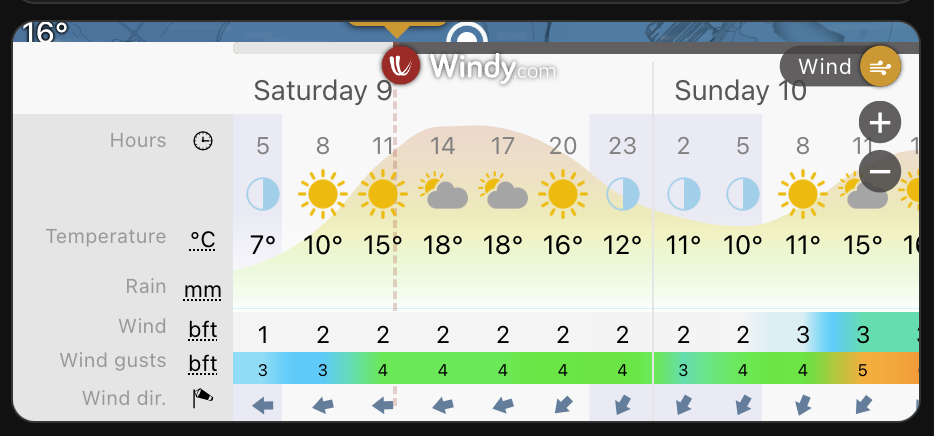
Replace in this YAML code the longitude and latitude values (2x) for the weather at your location.
# Sourcecode by vdbrink.github.io
# Dashboard card code
type: iframe
url: https://embed.windy.com/embed2.html?lat=52.000&lon=4.000&detailLat=52.000&detailLon=4.000&width=650&height=180&zoom=11&level=surface&overlay=wind&product=ecmwf&menu=&message=true&marker=&calendar=now&pressure=&type=map&location=coordinates&detail=true&metricWind=bft&metricTemp=%C2%B0C&radarRange=-1
aspect_ratio: 44%
Hourly Weather Card
The forecast in a bar and with the temperature per hour.
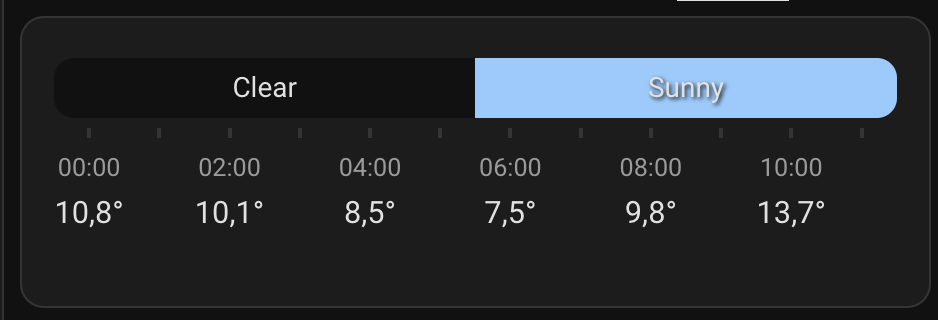
Install the HACS Hourly Weather Card integration via this button
# Sourcecode by vdbrink.github.io
# Dashboard card code
type: custom:hourly-weather
entity: weather.forecast_home
show_precipitation_probability: true
show_precipitation_amounts: true
show_wind: "false"
name: " "
Kleenex pollen radar Integration
Pollen integration with intensity for weeds, grasses and trees for today.
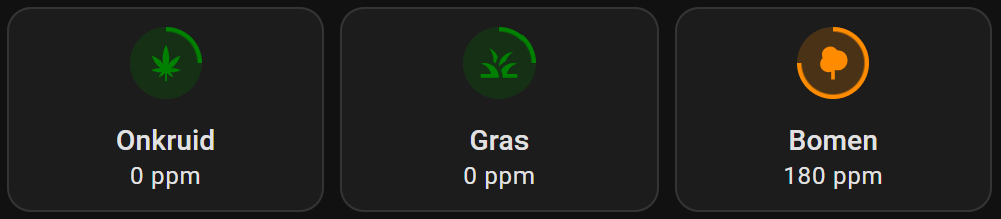
Check out my dedicated page about this integration for more cards with multi-day forecast. And graphs with details on different types of pollen per type of tree.
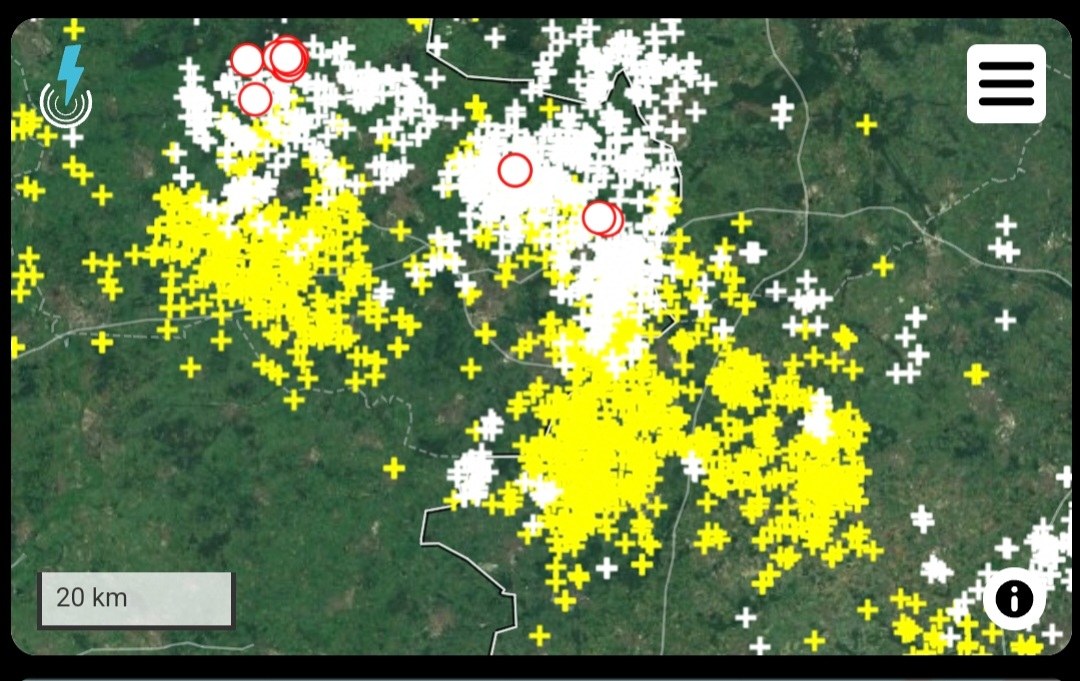
Lightning and thunderstorm
Show an iframe with the real-time lightning and thunderstorm activities from blitzortung.org.
# Sourcecode by vdbrink.github.io
# Dashboard card code
type: iframe
url: https://map.blitzortung.org/index.php?interactive=0&NavigationControl=0&FullScreenControl=0&Cookies=0&InfoDiv=0&MenuButtonDiv=1&ScaleControl=1&LinksCheckboxChecked=1&LinksRangeValue=10&MapStyle=0&MapStyleRangeValue=0&Advertisment=#10/52.100676/5.168668
aspect_ratio: '1:0.6'
Outside pressure, good vs bad
A template that indicates good or bad based on a threshold value.
# Sourcecode by vdbrink.github.io
# Dashboard card code
template:
  - sensor:
      - name: "Temp pressure ok"
        unique_id: temp_pressure_ok
        state: >-
          {% if states('sensor.temp_outside_pressure') | int > 1000 %}
            good
          {% else %}
            bad
          {% endif %}
« See also my other Home Assistant tips and tricks
^^ Top | Homepage | Best Buy Tips | Automation Ideas | Blog posts | Sitemap